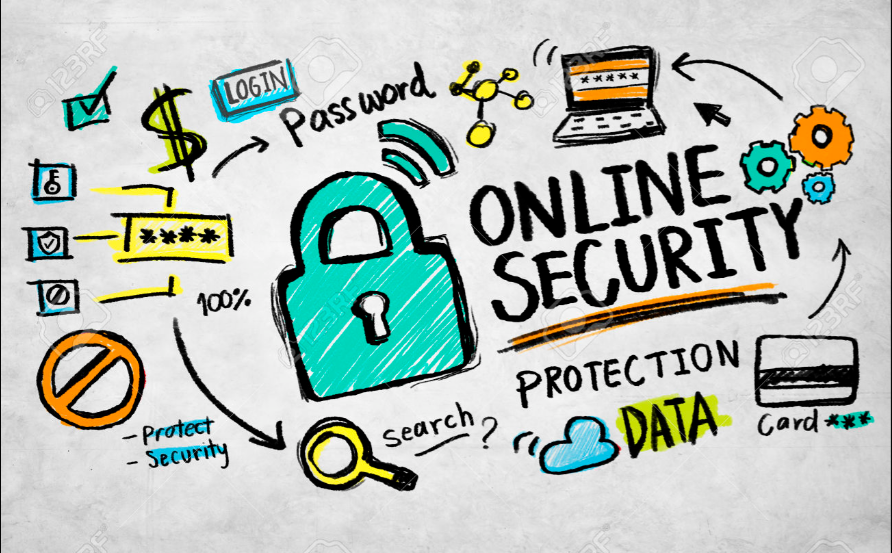
In an era where almost everyone has access to the internet, safety concerns continue to grow. Whether for personal use, business, or leisure, knowing how to protect yourself online is essential. With cyber threats becoming more sophisticated each day, understanding and implementing safe internet practices is crucial. In this article, we’ll explore practical and effective strategies to keep you secure on the internet, covering various methods from safe browsing to securing your devices and data.
1. Understanding the Importance of Internet Safety
Using the internet safely is vital not only for personal data security but also to protect your devices from malware and other threats. Online safety involves everything from safeguarding passwords and avoiding phishing attacks to understanding privacy settings. The primary goal is to protect personal and sensitive information, avoid cyber scams, and reduce vulnerability to online threats.
Why Internet Safety is Essential
- Protecting Personal Information: From banking details to social media profiles, we store much of our personal lives online.
- Preventing Financial Loss: Online scams and fraud can result in significant financial loss.
- Securing Business Information: For those using the internet for business, safeguarding sensitive information is crucial.
2. Basic Internet Safety Tips for Everyone
Let’s start with some basic yet effective tips for staying safe on the internet. These tips are straightforward to implement but can provide substantial protection.
Use Strong, Unique Passwords
One of the simplest ways to secure your online presence is by using strong passwords. Passwords should be unique for each account and should contain a combination of letters, numbers, and special characters.
- Avoid Common Phrases: Don’t use obvious information like your name or birthdate.
- Consider a Password Manager: Tools like LastPass or Bitwarden can store and generate strong passwords for you.
Enable Two-Factor Authentication (2FA)
Two-factor authentication adds an extra layer of security. Even if someone gets hold of your password, they would still need access to your 2FA device to log in.
- Apps for 2FA: Use applications like Google Authenticator or Authy for generating 2FA codes.
- Extra Security: 2FA is especially important for financial accounts and email.
Regularly Update Your Software
Software updates contain patches for security vulnerabilities. Always keep your operating system, apps, and antivirus programs up-to-date.
- Enable Auto-Updates: Most devices allow automatic updates, so you don’t miss critical patches.
- Don’t Ignore Updates: They’re essential for keeping your data and devices secure.
3. Safe Browsing Practices
Safe browsing is all about being cautious and aware while surfing the internet. By following some basic guidelines, you can protect yourself from malicious websites and phishing scams.
Avoid Clicking on Unknown Links
Suspicious links, often found in emails or pop-ups, can lead to malicious websites. These sites may try to steal your information or install malware on your device.
- Verify URLs: Hover over links to see where they lead before clicking.
- Beware of Short Links: Shortened URLs can hide dangerous sites. Use link expanders to reveal the full URL.
Stick to Secure Websites (HTTPS)
Always check for HTTPS in a website’s URL. This protocol encrypts the data you send and receive, providing a layer of security.
- Look for the Lock Icon: Most browsers show a padlock symbol next to secure URLs.
- Be Wary of HTTP Sites: Sites without HTTPS may be less secure.
4. Recognizing and Avoiding Phishing Scams
Phishing is a technique used by hackers to trick people into revealing personal information. Phishing emails, messages, and websites often look genuine, making them easy to fall for if you’re not careful.
Recognize Phishing Attempts
Phishing attempts often appear urgent, claiming you need to “act now” or “verify your account.”
- Check for Typos: Phishing emails often have spelling or grammatical errors.
- Verify the Sender: Official organizations won’t ask for sensitive information over email.
Don’t Download Suspicious Attachments
Attachments in phishing emails can contain malware that infects your device when downloaded.
- Scan Attachments First: Use antivirus software to check attachments before opening.
- Avoid Unknown Senders: If you don’t know the sender, it’s best not to open attachments.
5. Secure Your Devices
Your device can be the gateway to a lot of personal information. Protecting it from unauthorized access is essential for safe internet use.
Install Reliable Antivirus Software
Antivirus software provides a line of defense against malware, ransomware, and other threats. Make sure to use a reputable antivirus program.
- Keep Antivirus Updated: Regular updates ensure protection against the latest threats.
- Consider Firewall Protection: A firewall can provide an added layer of security.
Use a VPN for Public Wi-Fi
Public Wi-Fi networks are often less secure, making them prime targets for hackers. A Virtual Private Network (VPN) encrypts your internet traffic, providing security when using public Wi-Fi.
- Choose a Trusted VPN Service: Free VPNs may compromise your data, so it’s worth investing in a reputable provider.
- Enable VPN on All Devices: Many VPN services offer protection for multiple devices.
6. Protecting Your Privacy on Social Media
Social media platforms can expose personal information to a wide audience, sometimes unintentionally. Setting your privacy settings can help control who sees your posts and data.
Review Privacy Settings
Most social media platforms allow you to adjust who can see your profile, posts, and other personal information.
- Limit Public Information: Avoid sharing sensitive information, like your location or phone number, on public profiles.
- Be Selective with Friends and Followers: Only accept requests from people you know.
Beware of Over-Sharing
Posting too much information online can make you a target for scams or identity theft.
- Avoid Posting Travel Plans: This can signal when your home is unoccupied.
- Think Before You Post: Even deleted posts can sometimes be retrieved.
7. Safe Online Shopping Tips
With the convenience of online shopping comes the risk of fraud and data theft. Here’s how to stay safe while shopping online.
Shop on Reputable Websites
Only buy from established websites with good reputations. Avoid shopping on unfamiliar sites, as they may not have strong security protocols.
- Check Reviews: Look for customer reviews and ratings before buying.
- Use Secure Payment Methods: PayPal and credit cards offer more protection than debit cards.
Avoid Saving Payment Information
Many websites offer to save your payment information for future purchases, but this can be risky if the site is hacked.
- Manually Enter Details Each Time: This adds a few extra seconds but is safer.
- Use Digital Wallets: Services like Apple Pay or Google Pay are often more secure than storing card details.
8. Educate Yourself and Stay Informed
The digital world is always evolving, and so are online threats. Educating yourself on new types of cyber threats can help you stay prepared.
Follow Security News
Stay updated on the latest security news and potential threats.
- Subscribe to Security Blogs: Websites like Krebs on Security and Wired’s security section can keep you informed.
- Take Online Safety Courses: Many platforms offer courses on internet safety basics.
Teach Family Members About Internet Safety
Children and older adults are often more vulnerable to online scams. Educate them about the importance of internet safety.
- Set Up Parental Controls: Limit what children can access online.
- Discuss Safe Internet Habits: Make sure everyone understands the basics, like not sharing personal information.
Conclusion
Staying safe on the internet requires a proactive approach. By following these guidelines, you can protect your personal information, prevent financial loss, and enjoy a secure online experience. Internet safety isn’t about avoiding the web altogether; it’s about navigating it wisely and cautiously. Whether for personal, professional, or recreational use, always prioritize security. With these strategies, you can confidently explore the internet, knowing you’ve taken the necessary steps to protect yourself and your data.