1) Finger Ring Mouse (Wearable Pointer for Work and Travel)
If you present often or work on the go, a finger ring mouse is a clever, truly portable pointing device. It slips on your finger, connects via Bluetooth, and lets you control your laptop, tablet, or phone without a desk—great for flights, tight cafés, or standing presentations. A 2026 pick making waves is the AIRKLC Finger Ring Mouse, praised for being travel-friendly and presentation-ready
- Best for: Presenters, remote workers, commuters
- What to look for: Bluetooth 5.0 or newer, adjustability, multi-OS support, and gesture buttons
2) Compact USB‑C Power Bank (The Must-Carry Backup)
A pocket-sized power bank with USB‑C in/out is still the most universally useful tech under $50. Look for 10,000–12,000 mAh for a sweet spot of size vs. capacity. For gamers and streamers, “portable chargers” are routinely recommended as one of the best accessories under $50, thanks to their day-saving power on the go
- Best for: Everyone with a phone, Switch players, road-trippers
- What to look for: USB‑C PD (18W+), pass-through charging, airline-safe capacity
3) Bluetooth Item Tracker (Never Lose Your Keys Again)
Budget-friendly Bluetooth trackers help you find keys, bags, or luggage with a map ping and proximity alerts. Many now offer louder ring volumes and community find networks for extra peace of mind.
- Best for: Travelers, parents, forgetful folks
- What to look for: Replaceable battery, Android/iOS compatibility, loud buzzer, secure network features
4) Smart Plug with Energy Monitoring
Turn dumb appliances smart for under $50. A Wi‑Fi smart plug lets you schedule lamps, automate coffee makers, and cut phantom power. Energy monitoring helps you see which devices quietly drain electricity.
- Best for: Renters, smart home beginners, energy savers
- What to look for: Matter or wide voice assistant support, energy insights, away modes
5) RGB LED Light Strips (Ambience on a Budget)
Sync your lighting to movies, music, or game sessions without overspending. LED strip kits under $50 often include app control, voice assistant compatibility, and multiple scenes for accent walls, desks, or TVs.
- Best for: Streamers, bedroom setups, home theaters
- What to look for: 5050/2835 LEDs, cuttable/relinkable strips, strong adhesive, music sync
6) USB‑C Hub (6‑in‑1 or 7‑in‑1)
Thin-and-light laptops often lack ports; a compact USB‑C hub fixes that instantly. Under $50, you can find hubs with HDMI 4K30, SD/microSD, and multiple USB‑A ports.
- Best for: Students, hybrid workers, creators on a budget
- What to look for: Aluminum housing for heat, 100W passthrough, reliable chipset, shielded cable
7) Portable Bluetooth Speaker (Small Size, Big Sound)
Mini speakers have matured—better drivers, passive radiators, and IPX water ratings mean you can get surprisingly full sound without spending much.
- Best for: Park days, showers, road trips
- What to look for: IPX5+ rating, USB‑C charging, 8–12 hour battery life, stereo pair mode
8) Streaming Stick (HD/4K on a Budget)
Affordable streaming dongles bring smart apps and voice search to older TVs. Many HD and some 4K sticks regularly drop below $50 during sales, making them easy media upgrades.
- Best for: Guest rooms, dorms, travel
- What to look for: App library, robust Wi‑Fi, voice remote, casting support
9) Adjustable Phone Stand + Ring Light
If you take calls, shoot Reels/TikToks, or scan documents, a stable phone stand with an integrated ring light is a productivity no‑brainer.
- Best for: Students, creators, remote workers
- What to look for: Weighted base, multi-angle arm, dimmable light with CRI 90+
10) Digital Tire Inflator (Pocket Air Pump)
A compact, USB‑C rechargeable inflator keeps car, bike, and ball pressure dialed without gas-station lines. It’s a practical “tech you’ll actually use” buy that often sneaks under $50.
- Best for: Drivers, cyclists, sports families
- What to look for: PSI presets, auto stop, backlit display, included valve adapters
Bonus for Gamers: Budget Accessories That Matter
If you’re building a value-first battle station, budget “under $50” accessories like wireless controllers, gaming mouse pads, and portable chargers are popular, practical upgrades that enhance gameplay and uptime without stretching your wallet
- What to look for: Low-latency wireless, textured surfaces, and high mAh ratings for longer sessions
Why These Picks Win in 2026
- USB‑C everything: From hubs to power banks and inflators, USB‑C standardization keeps your kit simple and interchangeable.
- App + voice control: Even low-cost smart plugs and LEDs now bring automation and scenes to everyday appliances.
- Real portability: Wearables like the finger ring mouse fit 2026’s hybrid routines—present, commute, and create without a desk
How to Choose the Right Budget Gadget
- Match the use-case: Prioritize features you’ll actually use daily—charge speed, portability, water resistance, or smart automations.
- Spec check > brand hype: Verify key specs (PD wattage, Bluetooth version, IP rating) before you buy.
- Look for standards: Compatibility with Matter, USB‑C PD, and mainstream voice assistants future-proofs your purchase.
- Read recent reviews: Firmware updates can change everything—confirm current performance and app reliability.
FAQ: Are $50 Gadgets Worth It?
Yes—especially for accessories and everyday utilities. Many of the most useful upgrades are “set it and forget it” tools like portable chargers, smart plugs, and hubs that you’ll touch daily. For trendier items like wearable pointers, make sure the ergonomics and OS support fit your workflow; the better-reviewed ring mice in 2026 are specifically praised for travel and presentations
And for gaming setups, budget accessories like pads, backup power, and select controllers can noticeably improve your experience without overspending
Final Verdict
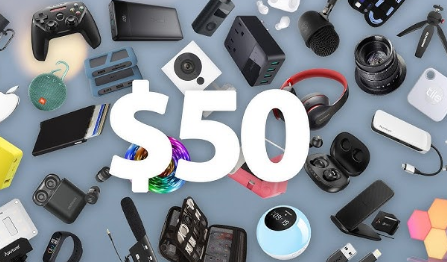
If you want the best gadgets under $50 in 2026, start with practical power (USB‑C power bank), control (smart plug, USB‑C hub), ambience (RGB LED strips), mobility (Bluetooth tracker, portable speaker), entertainment (streaming stick), and safety (digital inflator). Add a wearable finger ring mouse if you present or travel often—it’s a small, smart upgrade that fits modern hybrid life With a little spec checking and brand-agnostic shopping, you’ll build a high-impact, low-cost kit that feels premium every day.